

There is a lot you can do inside I AM Transformation. Knowing where to start, and how the pieces fit together, makes the next step easier.
Our latest updates bring you a new how-to course, Thursday community gatherings and improvements to the tools members and creators use every day. Here is what is available, who it is for and where to begin.
Start with the new 10-lesson course
How to use I AM Transformation is a practical walkthrough of IAT, with Dave's narration and captions. This is a new platform how-to course, separate from the transformation courses you may already know.
The ten lessons cover:
How it all fits together.
Your plan, and how to upgrade.
Create your community.
Write your welcome post.
Add your course.
Build your pages.
Message your members and clients.
Send an email to your members.
Set up an autoresponder.
Connect Claude or ChatGPT.
You do not need to work through everything at once. Open the course, choose the lesson closest to what you want to do, then pause and try that step in your own account. If you are new, begin with lesson one so you can see how your community, offers, pages and follow-up fit together.
Some creator tools depend on your plan. Lesson two explains the difference before you start building.
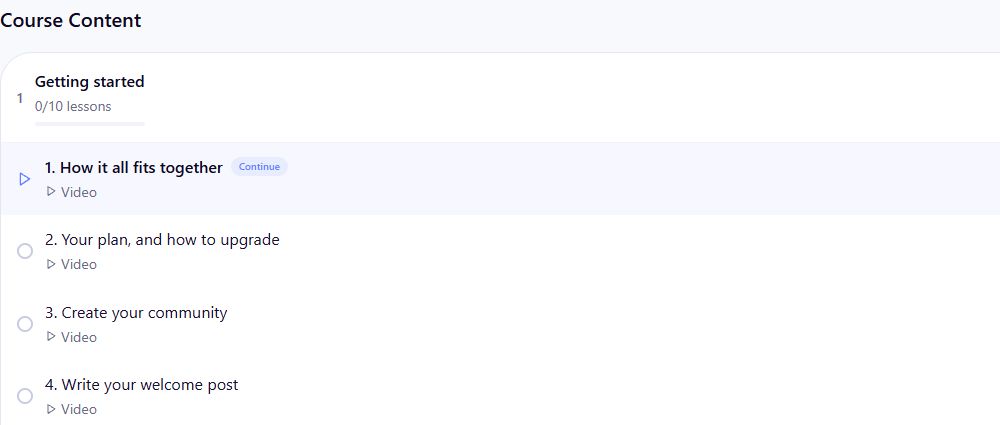
In the how-to course, open Getting started and choose a lesson. The full curriculum contains ten lessons.
Put a Thursday gathering on your calendar
Our next Weekly Gathering with David events are scheduled for October 22, October 29, November 5 and November 12 at 9 pm US Eastern, with live rooms for each session.
To find them:
In the sidebar, open Community → Live.
Find Upcoming and choose a Weekly Gathering with David.
Open the gathering you want to attend and check its details.
View upcoming gatherings · Open the I AM Transformation community
Use US Eastern as the reference when adding the series to your calendar. Daylight saving time changes during these dates, so your local time may shift. Check each event rather than assuming all four have the same time where you live.
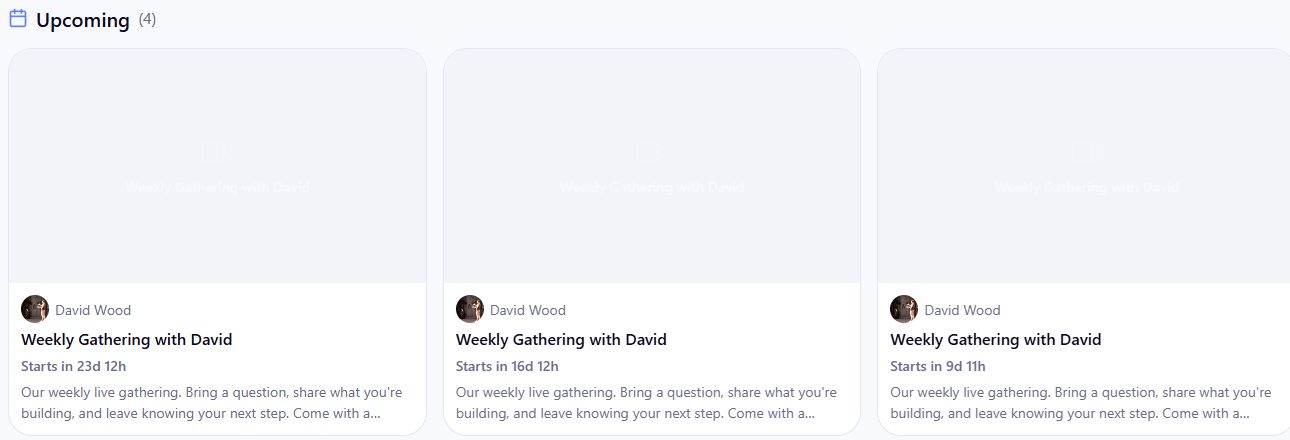
Community → Live → Upcoming lists the gatherings. Open a card to check that session's details.
Keep learning with clearer course access
We have improved how courses match lessons to the access a learner holds. In courses with different access levels, the player now checks the appropriate level when opening lessons and videos, and gives clearer feedback when a lesson is locked.
We also checked existing enrollments during the update: no learners lost access in that production check.
For creators, the access rules now follow full refunds and lost payment disputes more consistently. Access paid for only by that purchase ends, while access a learner still holds through another valid purchase, grant or community membership is preserved. Partial refunds do not automatically remove course access.
If something looks locked unexpectedly, check that you are signed into the account used for the purchase, then contact the course creator with the course and lesson name.
Connect your own AI assistant
Creators can now connect a compatible assistant through IAT's creator connector. MCP is simply the connection that lets an assistant work with IAT tools using the permissions you choose. Tools that require Pro still require an eligible Pro plan.
In IAT, open your account menu → Settings → Integrations → AI assistants to find the connection information and review connected assistants. The new course's final lesson walks through connecting Claude or ChatGPT.
Start small. A useful first request is: “List my courses and tell me which lessons are unpublished.” Then try a draft, such as: “Draft a welcome post for my community.”
Review the requested access before connecting. Read-only access is a good starting point if you only want help finding or understanding information. Drafts still need your review, and actions that publish, contact people or change prices have approval steps. You can review activity and disconnect an assistant from the same IAT settings page.
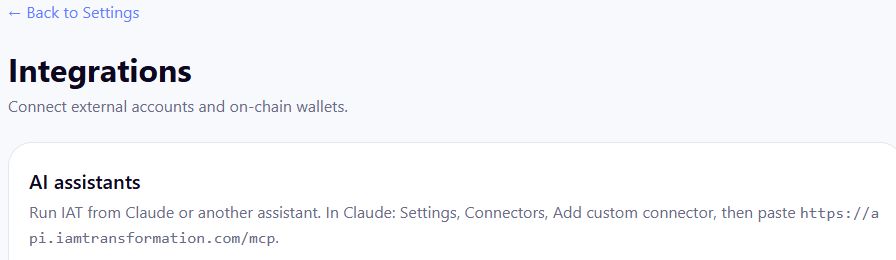
Account menu → Settings → Integrations opens AI assistants and the connection instructions.
Build a community with a partner
Eligible IAT Pro members can now set up co-owned communities with agreed shares of creator net earnings.
Open your community's admin area, expand People / CRM and choose Co-owners. Review the eligibility requirements and agreement before inviting a partner. Each person reviews and signs from their own account, and the agreement becomes active only after everyone has signed.
The statement shows how eligible sales are allocated between the co-owners. Agree on the responsibilities as well as the shares before getting started, and review the payment terms in the agreement.

Community admin → People / CRM → Co-owners → Invite a co-owner opens these empty controls. Review the eligibility and agreement before adding anyone.
Review annual billing and member referrals
Two more options are now enabled for eligible creators:
Annual creator billing. If your monthly creator subscription is eligible, open Settings → Billing & Subscriptions and look for Switch to annual. The review screen shows the annual price, any credit, the amount due and the next renewal date before you confirm. Reviewing the option does not mean you have switched.
Member referrals for paid communities. Community owners can enable a one-level member-referral program for eligible paid communities whose payments are processed by IAT. Review the program's direct-share settings before turning it on. When an owner enables it, active members can find their personal referral link on that community's Earnings page.
Availability and shares depend on the community's settings. Check the program's terms and refund rules before sharing your link.
Get clearer custom-domain guidance
If you use your own domain for a funnel, Creator Studio → Domains now gives clearer connection information and shows which funnel the domain serves.
The add-domain form has been repaired, and the DNS instructions are easier to read and copy. Open the domain you are setting up, follow its displayed instructions and recheck the connection after updating the records with your domain provider.
Use the actual status shown in IAT. Adding records does not mean the connection or certificate is ready immediately.
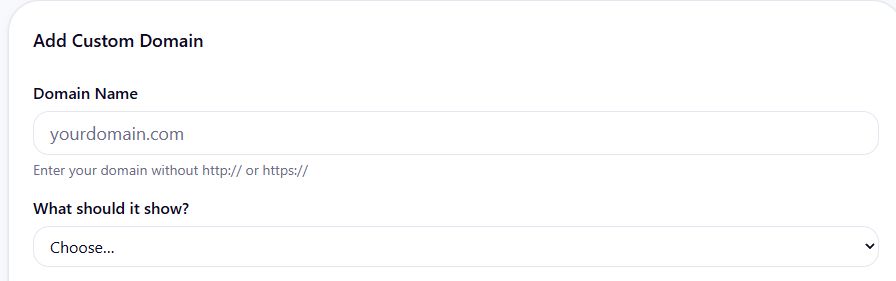
Creator Studio → Domains → Add Domain opens the empty setup form. Enter a domain and select its destination, then follow the displayed verification instructions.
Clearer checkout and smoother course creation
Checkout now shows the community you are buying, making it easier to confirm you have the right offer before paying.
For creators, course video uploads no longer leave an empty video block behind, and course video durations are kept in sync.
Feed reliability has also been improved.
More dependable updates behind the scenes
Notifications and scheduled background work have received reliability improvements too. Interrupted work can be recovered, completed steps are tracked, and retries are better able to avoid repeating steps that already succeeded.
These changes help notifications and calendar workflows keep moving if a background task is interrupted.
To review your own choices, open Settings → Notifications. Check the categories you want, adjust quiet hours or digest frequency, and choose Save Preferences.
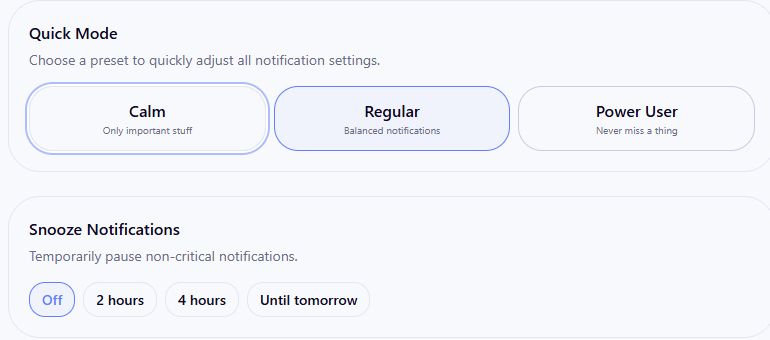
Account menu → Settings → Notifications includes Quick Mode, snooze, categories, quiet hours and digests. Review your choices and select Save Preferences when you want to apply changes.
Report a concern when you see it
Use Report on a post or comment, or use the public safety reporting form for serious safety or copyright concerns, including when you are signed out.
Include the link and enough detail to identify the concern. Urgent reports can place content on a reversible hold while it is reviewed.
Choose one next step
Start with one lesson, try one useful action in your account and join us for a Thursday gathering.
Whether you are here to learn, connect with others or build your own community, we want the next step to be easier to find and put into practice.
Written by
I helped a lot of people discover that they were born for more. I started a company that turned into a wave of breakthoughs that swept the world. Now I'm here to help you become who you want to become, by stepping into the power that you never knew that you have.
Enjoyed this post? Share it
Get David’s next post in your inbox
No spam, just new posts when they go live. Unsubscribe anytime in one click.