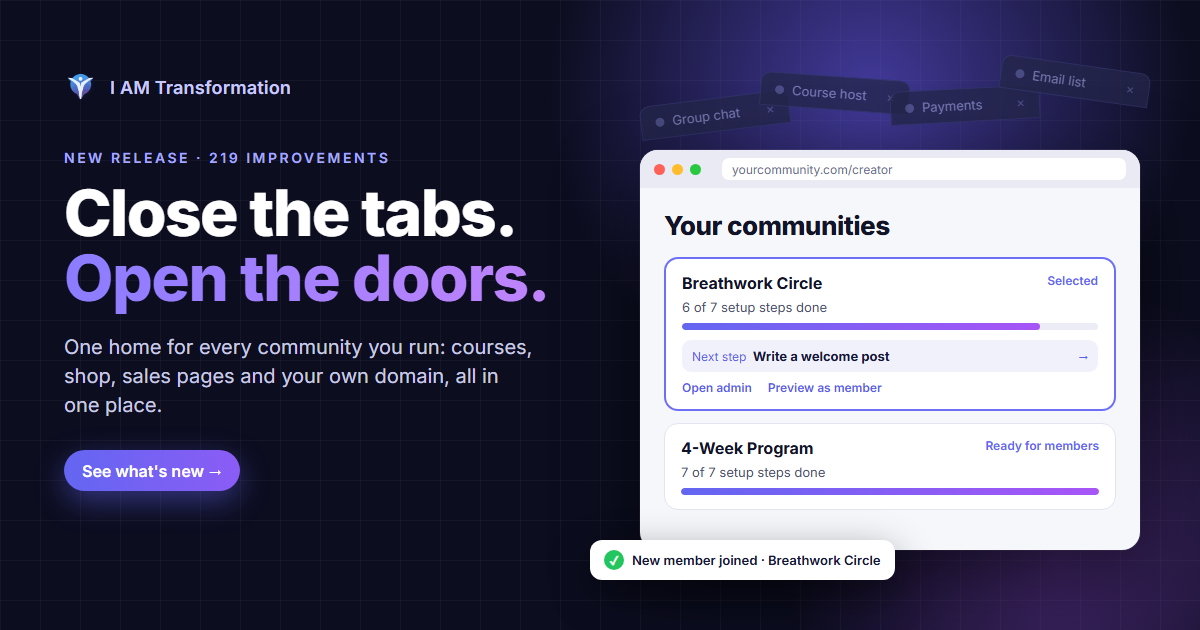

You’ve put thought into what you teach and the people you want to bring together. The everyday work around that matters too: finishing a page, welcoming someone new, finding a conversation and following up at the right time.
This I AM Transformation release makes those steps easier to manage. It builds on our last update with improvements to page editing, community joining, notifications, email sequences, contact notes and the way your courses and products appear.
Here’s what’s changed and where to use it. Available tools still depend on your plan, role and access to the community you’re working in.
Finish your page with a clearer view of what is saved
When you keep editing while a save is running, those newer changes need to stay visible as unfinished work. The funnel editor now preserves that distinction. An earlier save finishing won’t mark your later edits as saved, and moving between pages won’t carry a stale Saved message into the page you’ve just opened.
We’ve also improved the layout of the save controls on smaller screens. For pages built with individual blocks, there’s now a working drag handle to reorder them, alongside the move buttons. Move and remove controls have larger touch targets on mobile.
Open your funnel, select a page and make your changes. If you edit again while saving, save the newer changes too. Once the page is saved, use Preview draft to review it before publishing.
Give people a clearer introduction to your community
The new Community Overview: Media and Join template gives you an editable starting point for explaining who your community serves, what members will learn and what participation looks like. It has space for a photo, a welcome video, your description and a clear next step.
Choose the template in the funnel builder, replace its example content with your own and connect the community you manage before publishing. Its View community and join button leads into that community’s joining flow, where current membership options, pricing and application requirements are confirmed.
We’ve tightened the handoff between community pages, sign-up and joining so it stays tied to the community the visitor selected, including on verified custom domains. For communities that require approval, a submitted application remains pending until it is approved. Follow-on actions that depend on an active membership no longer treat that request as a completed join.

Find recent activity and return to older notifications
The notification bell now opens on All activity, showing recent read and unread notifications together in newest-first order. Switch to Unread when you want to focus on what still needs attention.
You can load older notifications from the bell, and the full Notifications page has more reliable paging through your saved history. Items keep a stable order as more results arrive, with duplicate entries removed.
If activity can’t refresh, the interface tells you and offers a retry. A failed request is no longer presented as an empty, caught-up list. Read actions also wait for confirmation before treating an item as read.
Open the bell, try All and Unread, then choose Load older notifications or View All Notifications to find the activity you want to revisit.
Review your follow-up before it starts
Email sequences now keep a clearer record of each person’s progress through supported email and wait steps. Waiting, paused, held and uncertain delivery states are distinguished so you can see when a run needs attention.
Before activating a sequence, you’ll be asked to review its current trigger, sender, reply-to address, timing, reentry settings and email content. The preview includes example send dates. Those examples begin at review time; each person’s actual run begins when they enter and progresses from accepted email attempts.
Manual enrollment also asks you to confirm the person and the current sequence. Existing runs that need reconciliation stay held, and an uncertain delivery result is flagged for review with automatic resend blocked. Pausing stops future attempts, although an attempt already in progress may finish.
The automation builder now limits supported steps to email and relative waits, and its controls fit more comfortably on narrow screens. We’ve also narrowed the age windows used by existing checkout follow-up checks so older abandoned steps aren’t picked up indefinitely.
Open Email Sequences or Automations to review a sequence and its subscribers. Check the content and schedule before activating it, and review any held or uncertain state before starting another run. Current consent and sending eligibility still apply.
Keep the details of your relationships up to date
You can now edit an existing CRM contact note without deleting it and starting over. Open a contact’s Notes tab, choose Edit, make your correction and select Save note. Cancel edit leaves the original note in place.
Contact notes, blog dashboard replies and other private views also have stronger checks against account and session changes. A delayed response from a previous account should no longer refill the view you’re using now.
In blog posts, an article with no available conversation now says that comments and reactions are unavailable instead of suggesting that setup is still running. Post-comment typing indicators have also been repaired so they use the same conversation connection as the discussion.
Show your work without cropping away the important parts
Product detail pages now show the complete product image in a wider frame. Course-thumbnail previews also show the full artwork, and the course builder includes guidance on image size and keeping titles and logos within the edges.
Product and course cards fit the available community content width more comfortably. Course badges stay off the artwork, and opening a product is kept separate from taking a purchase action.
If you use a screen reader, the signed-in pricing page now explicitly identifies which features are included and which aren’t.
Check the main image on a product detail page and the thumbnail preview in Course Builder. Those views now show the full image, helping you spot titles, illustrations or logos that were previously cropped.

Understand your domain and experiment setup
Custom-domain controls now reflect the saved domain record more accurately. DNS verification, the secure connection certificate and routing have separate statuses, so you can see which part of setup still needs attention. The DNS instructions remain available while you work through verification.
In your funnel’s Domains tab, add the requested record at your domain provider, select Verify and check each status. A verified DNS record alone doesn’t mean the secure connection and routing are already active.
The A/B Tests tab now supports saved draft comparisons of existing pages, including page snapshots, goals and traffic weights. It identifies identical snapshots and checks for conflicting changes when draft details are saved.
These are draft configurations; public experiment activation is not available yet. Existing recorded results remain separate from configuration, and missing observations are shown as missing rather than presented as performance evidence.
We’ve also improved how analytics batches are saved: a failed write keeps the buffered batch available for retry instead of clearing it as though it succeeded.
Stay connected with access that follows the current session
This release strengthens the checks behind live sessions, messages, notifications, course discussions and community updates. Access is checked against current membership and permissions, and private content is cleared when access changes.
Live-stage cleanup is now tied to the specific join being left. That helps keep a delayed leave action from clearing a newer stage session. Notification connections also distinguish temporary interruptions from access refusals so eligible sessions can reconnect.
Sign-in and session-refresh handling have been improved, including compatibility for existing signed-in sessions during this release. Support conversations also have tighter controls around customer-visible messages and their timestamps.
These changes support the same everyday goal: spend less time wondering what happened and more time teaching, creating and responding to the people in your community.
Start with one thing you’re already working on. Finish a page, update a contact note or return to a notification you meant to follow up on. Then take the next step with a clearer picture of what’s saved, what’s waiting and who needs your attention.
We’re building I AM Transformation for creators who want to share what they know and give their communities a place to grow.
David
Written by
I helped a lot of people discover that they were born for more. I started a company that turned into a wave of breakthoughs that swept the world. Now I'm here to help you become who you want to become, by stepping into the power that you never knew that you have.
Enjoyed this post? Share it
Get David’s next post in your inbox
No spam, just new posts when they go live. Unsubscribe anytime in one click.