
It's 11:40 at night, and Maria is still at her kitchen table.
Maria teaches breathwork. Her members love her. Her laptop, right now, does not: one tab for the group, one for the course, one for payments, one for the email list, one for the sales page, and a sixth she opened an hour ago and can't remember why.
Her phone buzzes. It's Jordan, one of her newest members: "I clicked Shop and ended up somewhere else. Where do I buy the 4-week course?"
Maria types a reply, deletes it, and types it again. She's tired, and it isn't from teaching.
(Maria and Jordan are illustrations I wrote to show how these features work. They are not real customers or testimonials.)
If any part of that scene feels familiar, I built this release for you.
The story underneath the tabs
When I talk with creators, I hear the same quiet sentence: "I'm a teacher, not a tech person. A real home for my community is for people with developers and budgets."
I don't believe that, and I hope you'll stop believing it too. The work you do with people is the hard part. The software should be the easy part, and for years it hasn't been, because the pieces were never built to talk to each other.
A community deserves one home that holds together, with your name on the door.
That's what we've been building. It's one place where your community, courses, shop and sales pages live together, on your own domain, with a way to preview everything before anyone else sees it.
Picture Maria a month from now. She closes the laptop at 8:30. Nothing is half-finished, and nothing is quietly broken. Her members find what they came for without messaging her first.
She isn't patching six tools together anymore. She runs one home that carries her name, and her people keep coming back to it.
Here's how this release moves you toward that, one piece at a time.
1. Members stay in your community, wherever they go
Let's go back to Jordan's message.
She was reading Maria's feed, felt ready, and tapped Shop. Then she landed in a general store with nothing of Maria in it. She wondered if she'd clicked the wrong thing. A small moment, but that's how trust slips away: one confused click at a time.
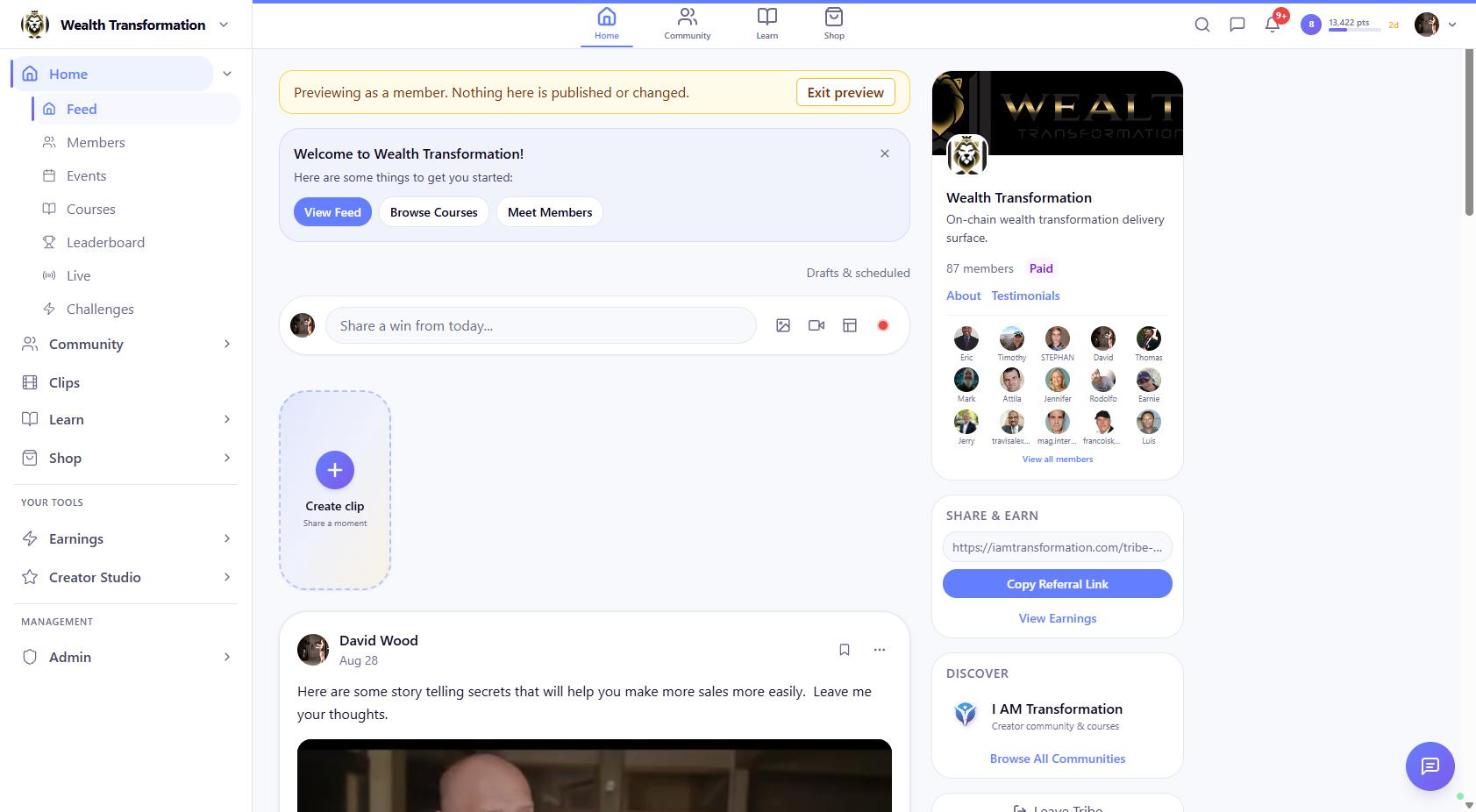
That moment is gone now. Your community travels with each member as they move: to the Shop, into a lesson, onto a replay. If someone opens a course, product or post link directly, from an email or a text a friend sent, the page shows the community that owns it.
Videos inside private communities play for their members the way they should. And when someone signs out, we forget which community they were in, so the next person on a shared family tablet starts fresh.
Why it matters. Your brand holds from the first tap to the checkout, so the work you put into your community isn't undone by a stray link. Your members always know where they are and whose teaching they're in.
Try it now: Open any community you belong to, tap Shop, then open a lesson. You never leave.
2. One home for every community you run
Maria runs three communities: a free breathwork circle, her paid 4-week program, and a small group for teachers she's training.
For months she kept a sticky note on her monitor to remember which one still needed a welcome post. It fell behind the desk twice.
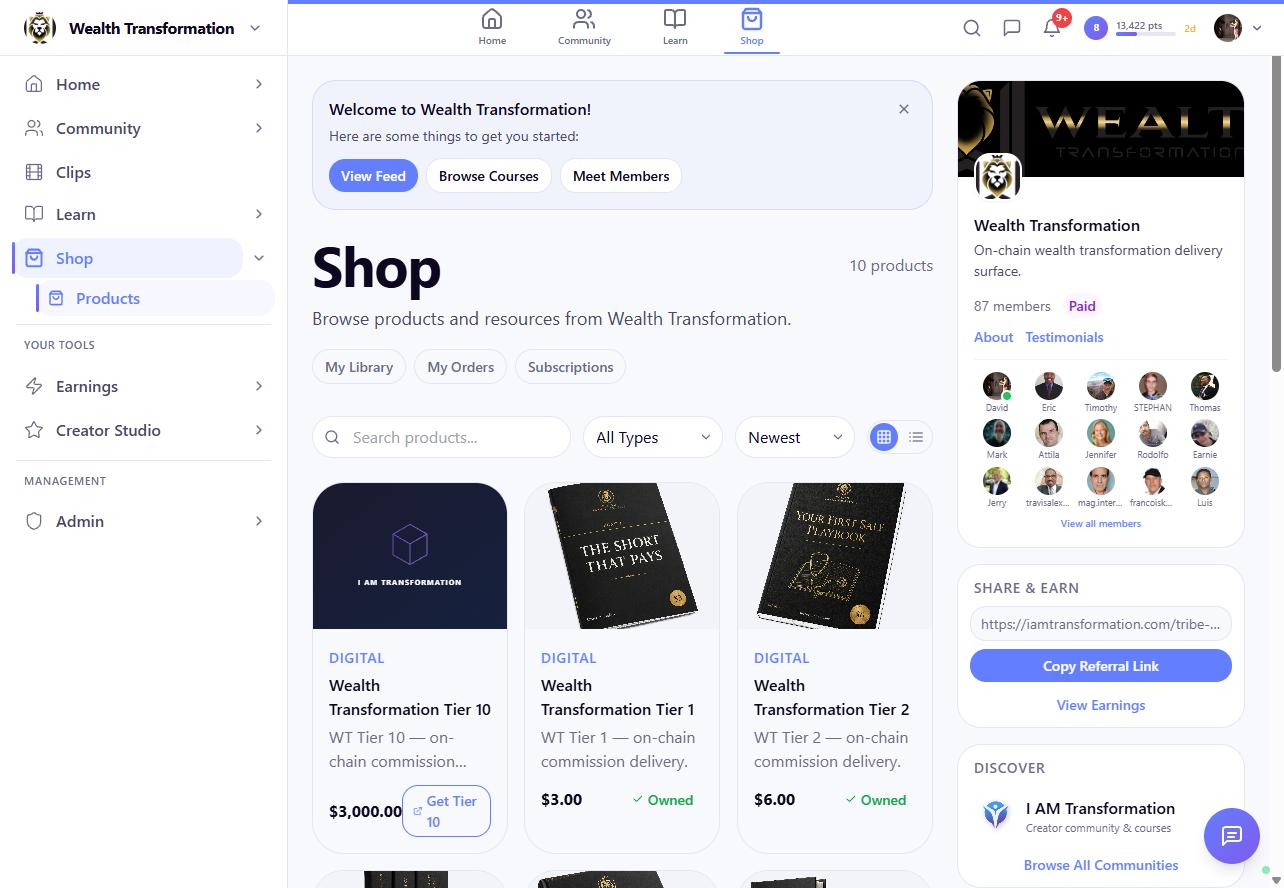
Your creator home now opens on Your communities, with a card for each one you own. Each card tells you how far setup has come, in plain words like "4 of 7 setup steps done," and shows the single Next step worth taking. Two buttons sit underneath: Open admin to get to work, and Preview as member to check your work (more on that next).
The creator menu is grouped by job now, so related tools sit together instead of down one long list. If you run a free community, the setup checklist never holds you up over payment steps you don't need.
Maria threw the sticky note away. The cards remember for her.
That's the creator side. For members, it means arriving at communities that are actually finished, with the welcome post in place and the first lesson ready.
Try it now: Go to iamtransformation.com/creator and look at your community cards.
3. See your community through your members' eyes
You set everything up, you announce it, and ten minutes later a member writes: "Is the first lesson supposed to be locked?"
Every creator has had that sinking feeling. You built it, but you've never really walked through it as a stranger.
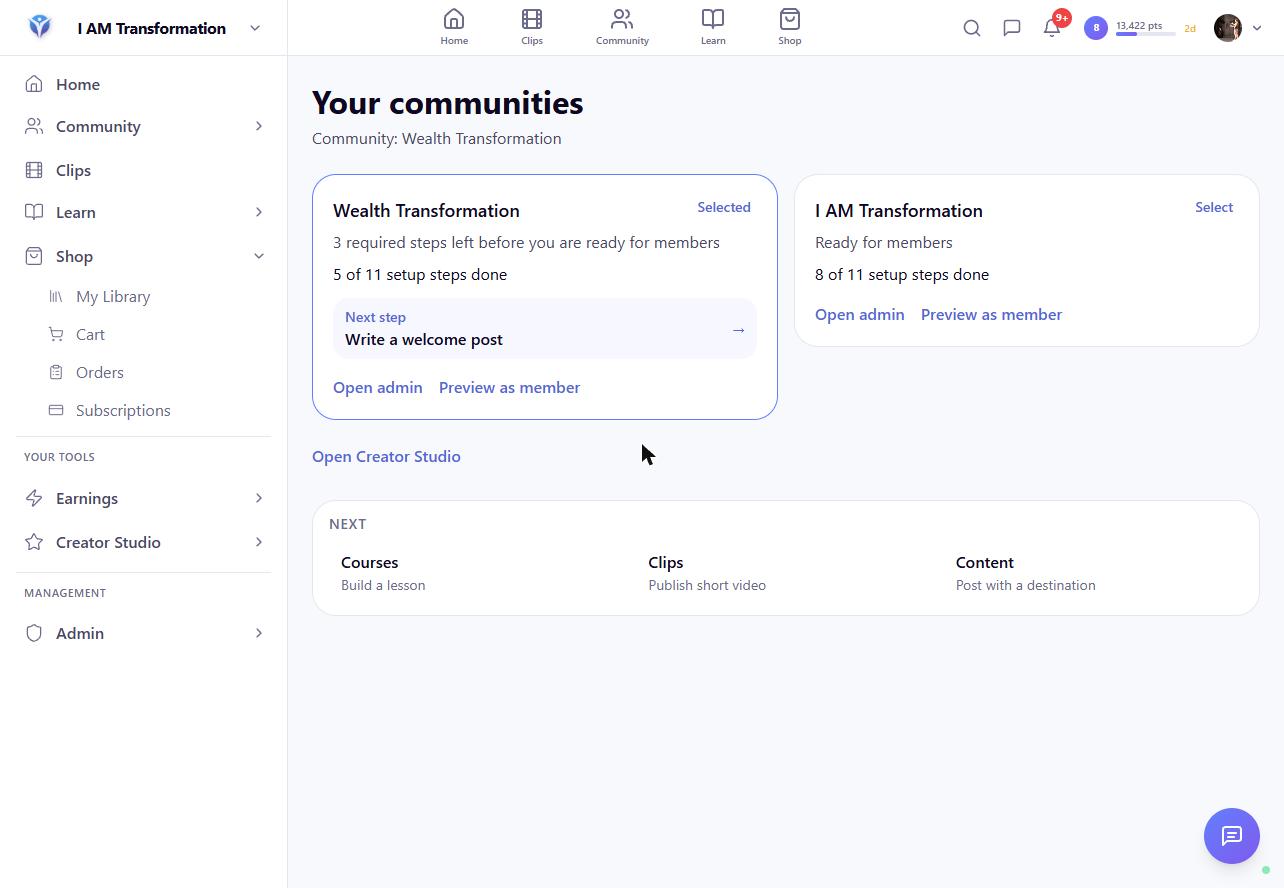
Now you can. Click Preview as member and you'll see your community exactly as a member does, with a bar across the top: Previewing as a member. Nothing here is published or changed. Wander anywhere. You can't break anything from there.
What this gives you. You find the locked lesson, the empty welcome post or the confusing menu before your members do. And your members get the first impression you meant to give, not the one you'd have fixed next week.
Try it now: On your creator home, click Preview as member on any community card.
4. Launch in order, one decision at a time
Remember the sentence from the top: "I'm not a tech person"? This is the feature I built with that sentence in mind.
When Maria decided to open her 4-week program, "launching" used to mean a dozen settings pages, a spreadsheet of who had paid, and a knot in her stomach.
The new launch wizard walks you through it in order:
Community and offer: who it's for and what they get.
Content: the lessons and posts that are ready on day one.
Onboarding: what a new member sees first.
Preview: exactly who will get access, before anything is switched on.
Prerequisites: anything still missing, named plainly.
Activate: confirm, and your program goes live. You can pause it at any time.
The Preview step is my favorite. It counts every person who qualifies for your program, and it handles very large communities. You see the number before you commit, not after.
Activating doesn't send anything by itself and doesn't change anyone's access behind your back. You make each decision, in order, and you can see where you stand the whole way.
For you, a launch becomes something you can finish in one focused evening. For your members, it means joining a program that was checked before the doors opened.
Try it now: Go to iamtransformation.com/creator/launch and start a draft. Nothing goes live until you click Activate.
5. Your domain, your front door
Maria's members find her at her own address, something like breathewithmaria.com. That address is part of her brand, and it's the one her members trust.
So it matters when it stops working. Picture a registrar renewal on a Tuesday, a DNS record that quietly changes, and a member typing her address on Wednesday morning and getting nowhere.
Once you connect a custom domain, we now check it every hour. If something changes, you'll see it in the domain's status in your settings within the hour. We'll tell you about a problem, but we never switch your domain off on our own.
Signing in on your domain is stronger too. When a member logs in at your address, each step of the sign-in is bound to your domain and checked along the way, so their account stays theirs.
The difference it makes. You hear about a domain problem from us, early, instead of from a confused member. Your members get an address that always leads home and a sign-in they never have to think twice about.
Try it now: Go to Settings, open Custom Domains, and check the status next to your domain.
6. Money that matches
Jordan buys two things from Maria: the 4-week program and a recorded workshop. A week later, life gets busy, and she asks for a refund on the workshop.
In plenty of systems, that's where things go sideways. Either both purchases lose access, or the order history stops matching the bank. Maria shouldn't have to audit her own sales at midnight.
We rebuilt the path that connects payments, refunds and access. A refund now removes access to exactly what that order paid for. Jordan keeps her program, and if only part of an order is refunded, only those items are affected.
One payment produces one order, whichever part of the system confirms it first. Every order records the community it came from, so your sales sit where they belong. And a community can't be deleted out from under orders that were paid.
Free things got simpler too. A $0 order shows No payment needed and a single Complete free order button, so nobody is asked for a card they don't need.
Members' points got the same care. The rewards shop keeps each balance exact, even when two people redeem the last item at the same moment.
The result is that your orders, refunds and access agree with each other, so you can answer a member's question without digging. Members get what they paid for, keep what they didn't refund, and see points worth exactly what the screen says.
Try it now: If you offer a free product, add it to your cart and click Complete free order. Then visit iamtransformation.com/rewards to see your points.
7. Publish boldly. Roll back any page.
Maria rewrites her sales page at midnight, publishes it, and wakes up certain the old headline was better. She can't remember a word of it.
Funnel publishing is now verified, which means the editor knows exactly what went live. Open the Version History panel and you'll see each published version. Click Restore this version to put an earlier one back.
Two quieter tools came with it. Any clip can be set to Only me while you decide whether it's ready, though members who bought a paid replay still see the clips that belong to it. And on a clip with captions, Draft from captions writes a starting description for you. It's only a draft: you edit it, and nothing is saved or shown until you do.
So go ahead and try the bold idea, without fear, because a page change is no longer a one-way door. Your members see your best version, not your 12:04 a.m. version.
Try it now: Open any funnel in the editor and click Version History. Or go to Creator, then Clips, click Edit on a clip, and choose Only me.
8. You decide who reaches you, and how often
Jordan blocked someone who wouldn't stop messaging her. The next day, that person tried a different door: an invitation to a group chat.
That door is closed now. When you block someone, they can't message you or invite you to a group, and invitations they'd already sent can't be used to reach you.
Support tickets now stay with the community they belong to, and My Tickets takes you straight to yours. Search now shows only products that are actually for sale.
And for members who'd rather hear less often, there's a new choice: a single plain Weekly Digest email that rounds up what you missed in your communities. You get it only if you pick it, and each one carries a one-click unsubscribe.
For you and your members. Creators get a community that feels safe, and that's the kind people come back to. Members choose who can reach them and how often their inbox hears from us.
Try it now: Go to Settings, then Blocked, to review your list. Or open Settings, then Notifications, and choose Weekly Digest.
Behind the scenes: how we built this
I want to be straight with you about how a release like this comes together.
This release carries 219 improvements. Over the last ten days we shipped about 500, and together they add up to more than 100,000 lines of new code and automated tests.
We didn't hire an army to do that. I build I AM Transformation with AI engineers working alongside me, and I'm proud of it, because of the rules we hold them to:
No one grades their own homework. Code changes are checked by a separate reviewer that didn't write them, and that reviewer can send work back.
Tests come with the work. Automated tests are written alongside the code. Before this release went out, the full suite ran again, and we don't ship if anything new breaks.
There's a way back. Before this release, we took a full backup of the database and staged a one-step rollback to the previous version.
We also reread our own privacy, security and terms pages and rewrote them so they say what the platform actually does.
Moving fast is the easy part. Moving fast in a way you can trust with your members and your money is the part we work hardest on.
What's coming next
A few things are already on the workbench:
An AI connector. It's rolling out now, starting with Claude, with ChatGPT to follow. The idea is simple: connect the assistant you already use to your community, and ask it for help with your everyday work.
A help center with plain-language answers you can search any time, so you're never waiting on a reply to keep going.
Encrypted chat, for conversations that stay between the people in them.
More shop tools, starting with discount codes, so you can run an offer without a workaround.
I'll share each one when it's ready, and not before.
Your home is ready
Think back to Maria at 11:40 p.m.: six tabs, a tired reply to Jordan, and a sticky note behind the desk.
Now picture her a week from now. She has one home that's unmistakably hers and a launch she finished before dinner. Jordan tapped Shop and stayed exactly where she belonged.
We're builders, you and I. We build for people, and the people we serve deserve a place that holds together.
So take one step tonight: open your creator home. If you don't have a community yet, that's where you'll start your first one.
I'll see you inside.
— Dave Wood, founder, I AM Transformation
Written by

I helped a lot of people discover that they were born for more. I started a company that turned into a wave of breakthoughs that swept the world. Now I'm here to help you become who you want to become, by stepping into the power that you never knew that you have.
Enjoyed this post? Share it
Get David’s next post in your inbox
No spam, just new posts when they go live. Unsubscribe anytime in one click.